Patient SMS opt-in
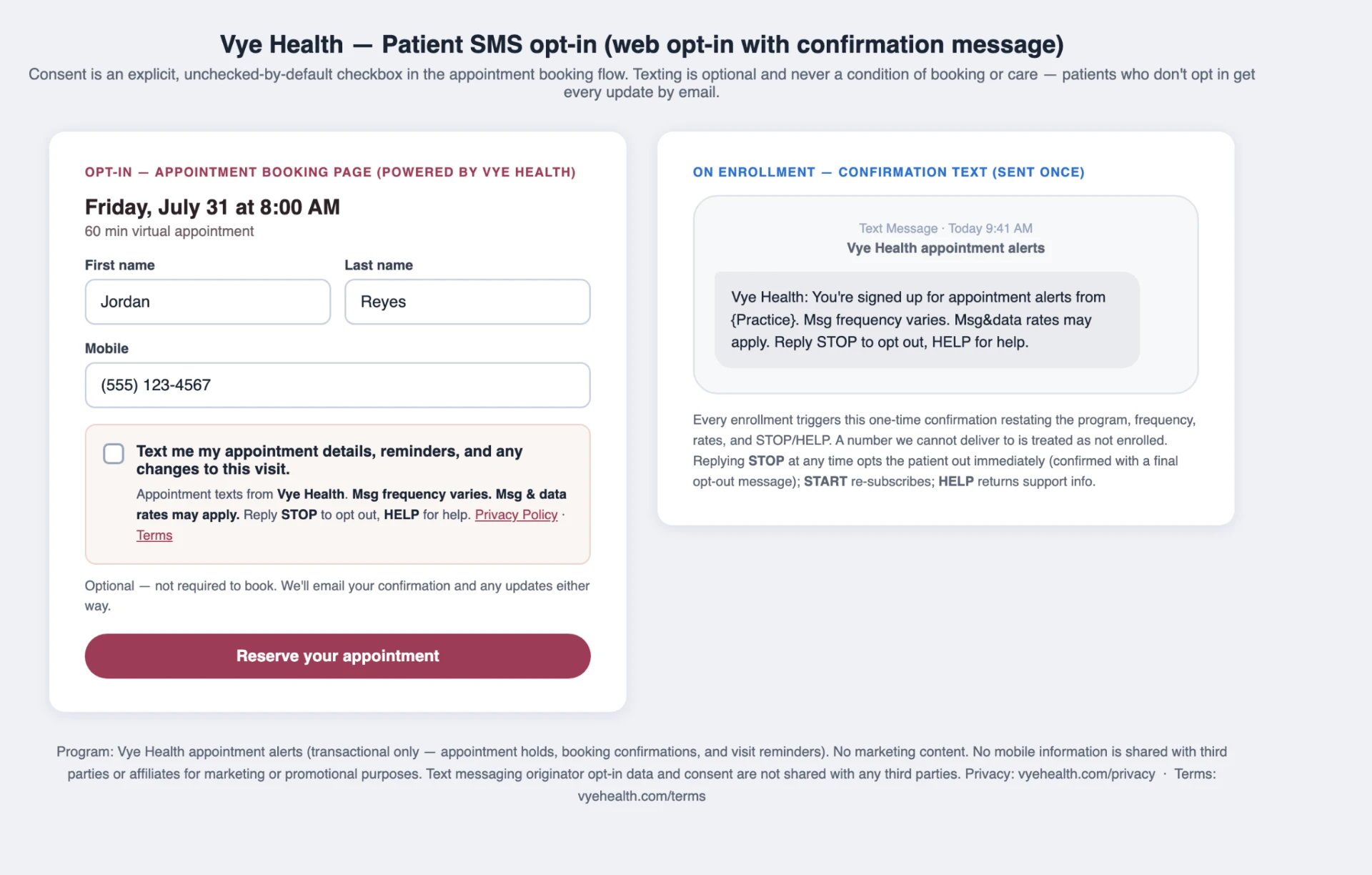
Screenshot of the patient SMS opt-in flow for carrier review.
What this page is for
This page shows the patient SMS opt-in for carrier review. The screenshot is the evidence. It shows the consent checkbox on the appointment booking page and the one-time confirmation text sent when someone enrolls. The words in the product are the words in that screenshot, not a separate script kept only on this page.
Carriers ask for a public page that matches the message a person receives. This URL is that page for Vye Health update texts. It is linked from the site footer so a reviewer can open it without an account. It is not the booking flow itself. Booking happens in the product the screenshot was taken from.
The image is the whole record this page adds. Read the caption and the image together. If a carrier's checklist asks where consent is collected, the answer on this page is the booking page shown in the shot. If the checklist asks what confirmation looks like, the answer is the one-time text in the same shot.
A different campaign, care-team texts, has its own screenshot page and its own consent. Do not use this page as proof for that campaign. Questions about a message you received are not handled in this screenshot. This page does not ask you to opt in again. It documents the opt-in that already exists in booking.
The footer link labeled SMS opt-in opens this page on every other page of the site. A reviewer can start at the home page and follow that link. The address in the browser should be the SMS opt-in path. The screenshot should match the booking screen and the confirmation text the carrier is reviewing.
Nothing else on this page collects a phone number. There is no form. The only image is the booking flow. If the screenshot and the live booking screen ever disagree, the live screen is what a patient sees, and this page should be updated to match it.